Each chapter comes with a Colab notebook that runs on free GPUs; read the RAG chapter first, then use the book's illustrations to explain to clients why a system gave a wrong answer.
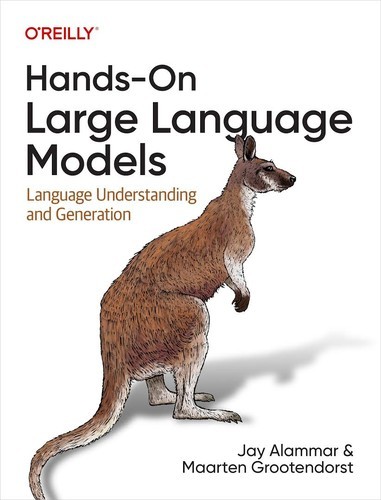
Hands-On Large Language Models · Jay Alammar ·
Key Takeaways
- Jay Alammar and Maarten Grootendorst's book has 12 chapters across 3 parts. Instead of relying on formulas, it starts from intuition and tells stories through pictures, with nearly 300 illustrations drawn specifically for the book.
- All the code is freely available on GitHub. Each chapter has a Colab notebook that runs on a free T4 GPU with 16GB of VRAM.
- For an FDE, Chapter 8 on semantic search and RAG is the most worth investing effort in. The fine-tuning content in Chapters 11–12 can wait.
Nearly 300 illustrations, every one drawn specifically for this book. That figure comes from Maarten Grootendorst, who gave it when announcing that Hands-On Large Language Models was finalized. The book was co-authored by him and Jay Alammar, and the official website lists the copyright year as 2024.
For a technical book on large language models, this choice says a lot about the authors' intent: they bet that readers understand LLMs faster from pictures than from formulas.
For those who want to become a Forward Deployed Engineer (FDE), this teaching approach hits exactly the hard part of the job. The system has to work on-site at the client, and you also have to explain to an operations manager who has never heard of embeddings why it gave a wrong answer. A book that teaches through pictures hands you ready-made explanations.
Replacing formulas with intuition and illustrations
Grootendorst summarizes the book's approach this way: start from intuition and tell stories through pictures rather than relying on formulas. In his endorsement on the official website, Andrew Ng says the two authors continue their tradition of explaining complex topics with beautiful, insightful illustrations.
Nils Reimers of Cohere calls it an excellent guide to understanding language models and their industrial applications. Leland McInnes praises it for providing the clear explanations and hands-on examples needed to see through AI hype.
That said, this is not a picture book. All the code is freely available on GitHub, in a repository nicknamed "The Illustrated LLM Book" under the Apache-2.0 license. Each chapter has a Colab notebook, and the authors recommend running it on Google Colab with a free T4 GPU (16GB of VRAM); a browser is all you need.
The most valuable habit to learn from this book is drawing diagrams. If you can't yet draw the flow of data from a question, through the search step, to the answer, you haven't truly understood the system you're deploying. The book's nearly 300 illustrations are ready-made templates to copy from.
Twelve chapters, but an FDE should read them in a different order
The book's 12 chapters are divided into three parts: concepts, using pretrained language models, and training and fine-tuning. For someone starting from scratch, this order makes sense. But an FDE should prioritize based on the questions clients ask most often.
Read the concepts part in full, since all later communication builds on it. Then jump straight to Chapter 8, "Semantic Search and Retrieval-Augmented Generation (RAG)." This chapter is closest to an FDE's work: making a model understand a client's internal documents and give correct answers.
One wrong answer, traced back to its source
Imagine a client: an insurance company that wants call center staff to quickly look up hundreds of policy clauses. An agent asks: "A customer had a motorcycle accident outside business hours—does the policy pay out?" The system answers fluently: yes.
Suppose that in reality an exclusion clause in Section 15 clearly states it does not. The troubleshooting trick is not to rush to swap models, but first to print out the 3 text passages the search step handed to the model.
If all 3 passages come from Section 12, which covers working hours, and none from Section 15, then the model did nothing wrong. It gave the correct answer based on the material it received.
So the problem lies in retrieval. Perhaps Section 15 was cut in half during chunking, or perhaps the word "exclusion" isn't semantically similar enough to the question. Here is practical experience, not from the book: when running the Chapter 8 notebook, first practice checking the search step in isolation, then look at the generation step.
After finishing Chapter 8, go back and read the rest of Part 2 to get a full picture of the various uses of pretrained models. Part 3 can wait.
Fine-tuning is the last part, and it should be last on your to-do list too
Chapters 11 and 12 cover fine-tuning: one on representation models for classification, the other on generative models. Distinguishing the two helps you pick the right tool when a client makes a request.
Many client needs, such as classifying complaint emails or tagging tickets, are essentially classification problems. In those cases, fine-tuning a representation model may be enough—no need to touch a generative model.
A small exercise to build this intuition: write down five hypothetical needs, such as "flag urgent tickets" or "draft complaint replies." For each, ask only one question: is the output a label chosen from a fixed list, or a piece of new text? If it's a label, consider a representation model first.
In real client projects, fine-tuning is usually only worth considering after you've thoroughly tried prompting and retrieval. Read Part 3 to know when it's worth doing, not to start doing it in your first week.
Who should read it, and what to put on your resume
If you can write Python but have never built an LLM system, the ready-to-run Colab notebooks are the gentlest way in. If you're already familiar with model training, you can probably skim the concepts part quickly, and the main value lies in the notebooks.
If your goal is an FDE role, turn the Chapter 8 notebook into a small project based on real documents—for example, Vietnamese documents, or documents in whatever other language you use at work. Record every wrong answer and which step the error occurred in.
Writing on your resume that you "built RAG on Vietnamese documents, located and fixed an error in the retrieval step" is far more persuasive than listing a string of completed courses. When reading job descriptions, watch for terms like semantic search, RAG, or embedding—these are exactly the things this book helps you practice.
A reasonable standard for how well you've read Hands-On Large Language Models is not how many chapters you've finished, but whether you can bring a RAG demo to an FDE interview and clearly explain why it got one answer wrong.
Was this article helpful?
Thanks for your feedback!