Read chapters 3–5 first, then jump straight to chapter 15 on metadata; save the rest of Alan Beaulieu's book for when a project requires it.
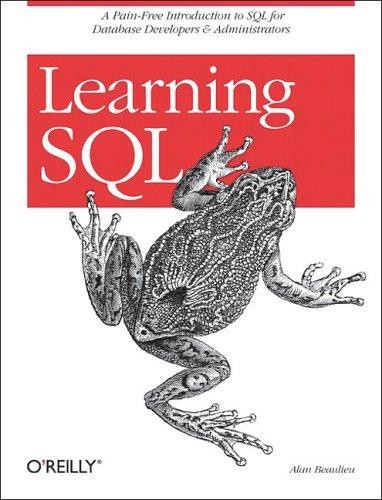
Learning SQL: Generate, Manipulate, and Retrieve Data · Alan Beaulieu ·
Key Takeaways
- The third edition of Alan Beaulieu's Learning SQL (O'Reilly, 2020, 380 pages) has self-contained chapters with exercises, so it can be read out of order
- How a Forward Deployed Engineer (FDE) should read it: chapters 3–5 first (queries, filtering, joins), then chapter 15 on metadata, followed by chapters 7–11 and 12–14
- INFORMATION_SCHEMA is read-only and ANSI-compliant, making it safe to use on customer data and portable across many database engines
Learning SQL: Generate, Manipulate, and Retrieve Data runs 380 pages, and the chapter most useful to a Forward Deployed Engineer (FDE) facing a customer's database is chapter 15. It is called Metadata and sits between chapter 14 (Views) and chapter 16 (Analytic Functions).
This is the third edition, written by Alan Beaulieu and published by O'Reilly Media on March 4, 2020 (ISBN-13 9781492057581). The publisher's description opens with a point that maps closely to FDE work: companies are absorbing more and more data, and you need to be able to put it to use immediately.
That is usually the first task after landing at a new customer. You get access to a database you have never seen and must answer a business question before writing your first line of integration code.
So the book is best read in the order the work unfolds, not the order of the table of contents. Each chapter is a standalone lesson with its own exercises, so skipping ahead leaves no gaps.
Three chapters are enough to start asking questions
Chapter 3 (Query Primer), chapter 4 (Filtering), and chapter 5 (Querying Multiple Tables) are the core. They cover SELECT, WHERE, and basic joins, which is enough for nearly every question you will ask of customer data in your first week. Chapter 6, on set operations, can be skimmed.
Knowing joins alone is not enough, because joins presuppose knowing which tables relate to which. At a customer site, you can rarely count on an up-to-date schema diagram. So the next step is chapter 15.
Chapter 15 is the map of an unfamiliar database's structure
The metadata chapter covers INFORMATION_SCHEMA. According to the MySQL documentation, it tells you database and table names, the data type of every column, and access privileges. The database describes itself; you just need to know how to ask.
For an FDE, the most important detail is a line in the MySQL documentation: these tables are read-only, and you cannot execute INSERT, UPDATE, or DELETE against them. On a customer's production system, a place you can browse freely without any risk of breaking things is rare.
Suppose a logistics company gives you read access to a database with hundreds of tables and asks: how many orders does each customer have in each status? Your first query never touches order data at all; instead, it looks for columns that could serve as join keys:
SELECT table_name, column_name, data_type
FROM information_schema.columns
WHERE column_name LIKE '%customer%'
ORDER BY table_name;
Suppose the results contain two candidates:
customers
Table A has a column
customer_id
,
orders
and table B also has
customer_id
, with the same data type. Matching types are the first signal that you have found the right pair of keys. Before going further, ask once more to see what other columns
orders
has:
SELECT column_name, data_type
FROM information_schema.columns
WHERE table_name = 'orders'
ORDER BY ordinal_position;
The list includes a
status
column you can group by, plus
created_at
a date column like this that can be used to bound a range. Only now do you touch real data, applying the joins from chapter 5 and the GROUP BY from chapter 8:
SELECT c.customer_id, o.status, COUNT(*) AS order_count
FROM orders o
JOIN customers c ON c.customer_id = o.customer_id
WHERE o.created_at >= '2026-11-01'
GROUP BY c.customer_id, o.status
ORDER BY c.customer_id, o.status;
The three queries form a complete loop: metadata gives you the map, the join connects the two tables, and the aggregation answers the customer's question. The narrower date filter keeps the first run lightweight; once the numbers look sane, widen the time window.
This skill transfers to other engines
The description of INFORMATION_SCHEMA above comes from the MySQL documentation, but the customer may be running a different engine. However, the information schema is a set of read-only views defined by an American National Standards Institute (ANSI) standard, and MySQL is just one of many systems that implement it.
Wikipedia lists the database systems that support it, including PostgreSQL, Microsoft SQL Server, MySQL, MariaDB, Snowflake, and Amazon Redshift, covering many of the engines you might encounter at a customer.
So the time spent on chapter 15 pays off far more than memorizing one engine's dialect. Individual column names or extended views may differ, but the method stays the same: list the tables, read the columns, infer the relationships, then query.
Read the remaining chapters as needed
With the map in hand, chapters 7 through 11 are the next step for analytical queries. They cover data generation and manipulation, grouping and aggregation (chapter 8), subqueries (chapter 9), advanced joins (chapter 10), and conditional logic (chapter 11). Questions like counting by customer or by status, or flagging late orders, rely on exactly this toolkit.
Chapters 12 through 14 cover transactions, indexes and constraints, and views. This part helps you read production data safely: knowing which constraints are governing the data, and understanding why a query that scans a large table can slow down a customer's system.
The last three chapters—analytic functions, working with large databases, and SQL and big data—are new to the third edition. Save them for when a project moves to a large data warehouse.
Common mistakes in customer databases
The mistake to avoid most is running a full-table-scan GROUP BY on production before you know what indexes the orders table has. Read chapter 13 before writing analytical queries, test within a narrow time range, and only then expand.
If you want to move into an FDE role, you can turn this route into an interview answer: when facing an unfamiliar database, read the metadata first, then join, then aggregate. A sequence that clear, backed by scripts you have written yourself, is more convincing than memorizing syntax.
People who write SQL every day can skip the first half of the book. Chapter 15 is still worth reading, because at a customer site the first question is always: what exactly is in this database.
Was this article helpful?
Thanks for your feedback!