You don't need to read all eight chapters: Chapters 2, 3, and 8, plus the authors' free Wireshark labs, are enough to find the source of connection failures.
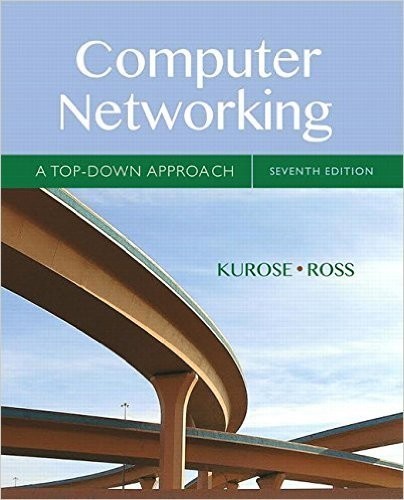
Computer Networking: A Top-Down Approach · James F. Kurose ·
Key Takeaways
- Pearson publishes the 9th edition in summer 2025, adding HTTP/3, QUIC, and TLS 1.3
- For FDEs, Chapters 2, 3, and 8 come first; Chapters 5 and 7 can wait until you need them
- The Wireshark labs are free for everyone, and they're what turn knowledge into skill
A customer says every API call takes several seconds. But your server logs show requests being processed in tens of milliseconds. The time is being lost somewhere along the link, and everyone is waiting for you to say exactly where.
For a Forward Deployed Engineer (FDE), moments like this are familiar. You work inside someone else's network, dealing with their proxies, certificates, and Wi-Fi, with no infrastructure team to hand the problem off to. Many engineers used to working at the application layer may also be looking at individual packets closely for the first time.
Computer Networking: A Top-Down Approach, co-authored by James F. Kurose (UMass Amherst) and Keith Ross (NYU Abu Dhabi), was not written for FDEs. But with the right chapters selected, combined with the Wireshark labs the authors provide free to instructors, students, and readers, it offers exactly what you need for that afternoon.
Top-down, matching the order customers complain in
The 9th edition was released in summer 2025, with Pearson listing a publication date of June 20, 2025; it can be read online, rented, or bought in print. The book has eight chapters, from "Computer Networks and the Internet" to "Computer Network Security". Pearson describes the approach as presenting this complex subject from the top down.
This top-down order is exactly why the book suits FDEs. Customers never report failures by network layer; they only report what they see: pages won't load, requests hang, the browser shows a red certificate warning. Starting at the application layer and working down is how good debuggers ask questions.
Most incidents start in Chapters 2 and 3
Chapter 2 (the application layer) has been updated with HTTP/3 and QUIC in this edition; read it before troubleshooting a customer's web or API traffic. Chapter 3 (the transport layer) has an updated congestion control section and completes the QUIC material started at the beginning of Chapter 2, so it's best to read these two chapters together.
These two chapters cover almost every place those seconds can disappear in a "slow API" problem: name resolution, connection establishment, and packet loss in transit. The most effective way to use them is to bring them directly into a packet capture analysis.
Using Wireshark to chase down "slow API" problems
With the customer's permission, capture packets on the affected machine while reproducing an API call. Then resist the urge to look at the whole capture file at once. Filter layer by layer, following the order the book teaches. The numbers below are just examples of what a bad result might look like, not standard thresholds.
Step one, enter the filter
dns
and compare each query's send time with its response time.
Suppose a normal query gets a response in about 20 milliseconds, but the customer's capture shows the query retransmitted twice, with the response arriving only after 1.5 seconds. Most of the delay happened before HTTP even started, which falls under Chapter 2's territory.
Step two, filter by
tcp.analysis.retransmission
so Wireshark shows only retransmitted segments. Suppose one call consists of 400 segments, of which 40 are retransmitted, that's 10%. It means packets are being lost in transit, and Chapter 3 gives you the language to explain why the connection is then throttled.
If you only see one or two scattered lines, the problem is likely elsewhere. If filtering by
tcp
shows almost nothing, try
quic
because the connection may be running over HTTP/3.
Step three, filter by
tls.handshake
to see how far the handshake got. If the client sends its initial hello and waits several seconds with no response, or the handshake ends with an error alert, you've found the break point. Only if all three steps look fine do you need to measure the time from sending the request to receiving the first byte of the response.
At this point, what you say to the customer changes. Instead of "let me look into it", you can say "your connection is repeatedly retransmitting packets before the request even reaches the server". The first buys time; the second points to a solution.
Here are three easy mistakes to make:
- Capturing packets on your own laptop instead of on the customer's actual network path, so the capture looks fine while the customer is still slow.
- Drawing conclusions from a single capture, when the problem may only appear under peak network load.
- Blaming "the network" before checking DNS, even though DNS is the cheapest thing to rule out.
When the failure is in the handshake, read Chapter 8
Chapter 8 (security) in the 9th edition adds TLS 1.3 and WPA3, and this is what you'll use when certificates or handshakes fail in customer environments. First understand how a correct handshake proceeds, then find where it breaks.
The remaining two chapters are worth knowing but can wait. Chapter 5 (the network layer: control plane) adds SDN content and includes a case study of Google's Orion network control system, which helps when you need to deal with a customer's routing or cloud networking.
Chapter 7 (wireless and mobile networks) is the most heavily rewritten chapter in this edition, covering Wi-Fi 6 and 5G. Open it when the problem lies in the customer's own office Wi-Fi or mobile network.
The Wireshark labs turn reading into practice
The authors' lab page states that the basic tool for observing messages exchanged between protocol entities is the packet sniffer. These labs teach exactly that skill, covering HTTP, DNS, TCP, UDP, IP, NAT, DHCP, ICMP, Ethernet and ARP, 802.11 Wi-Fi, 5G, and TLS.
They're not just exam drills. The official Wireshark documentation says network administrators use it to troubleshoot network problems. The skill you practice at home uses the same tool you'll open on a customer's machine.
For an FDE, a sensible order is: after reading Chapter 2, do the HTTP and DNS labs; after Chapter 3, do the TCP lab; then jump to Chapter 8 and do the TLS lab. Skim Chapter 1 for the overall framework, and read the remaining chapters when a project requires them.
Three things worth remembering, and how to put them on your resume
After closing the book, three things are worth bringing to the field. First, troubleshoot top-down, starting from what the customer can see. Second, the book covers QUIC in both the application and transport layer chapters, so don't fixate on one place when troubleshooting QUIC. Third, observe with a packet sniffer before speculating.
Career-wise, writing "knows networking" on a resume convinces no one. Capture a real API call from a personal project, analyze it step by step with the three filters above, write a one-page explanation of how long each step took, and put it in your portfolio.
When browsing FDE job postings, watch for descriptions that mention customer network environments, VPCs, or enterprise proxies: this kind of analysis is what will make you stand out most there.
The next time a customer says "the API is slow," open the packet capture file and show them exactly where the time is being spent.
Was this article helpful?
Thanks for your feedback!